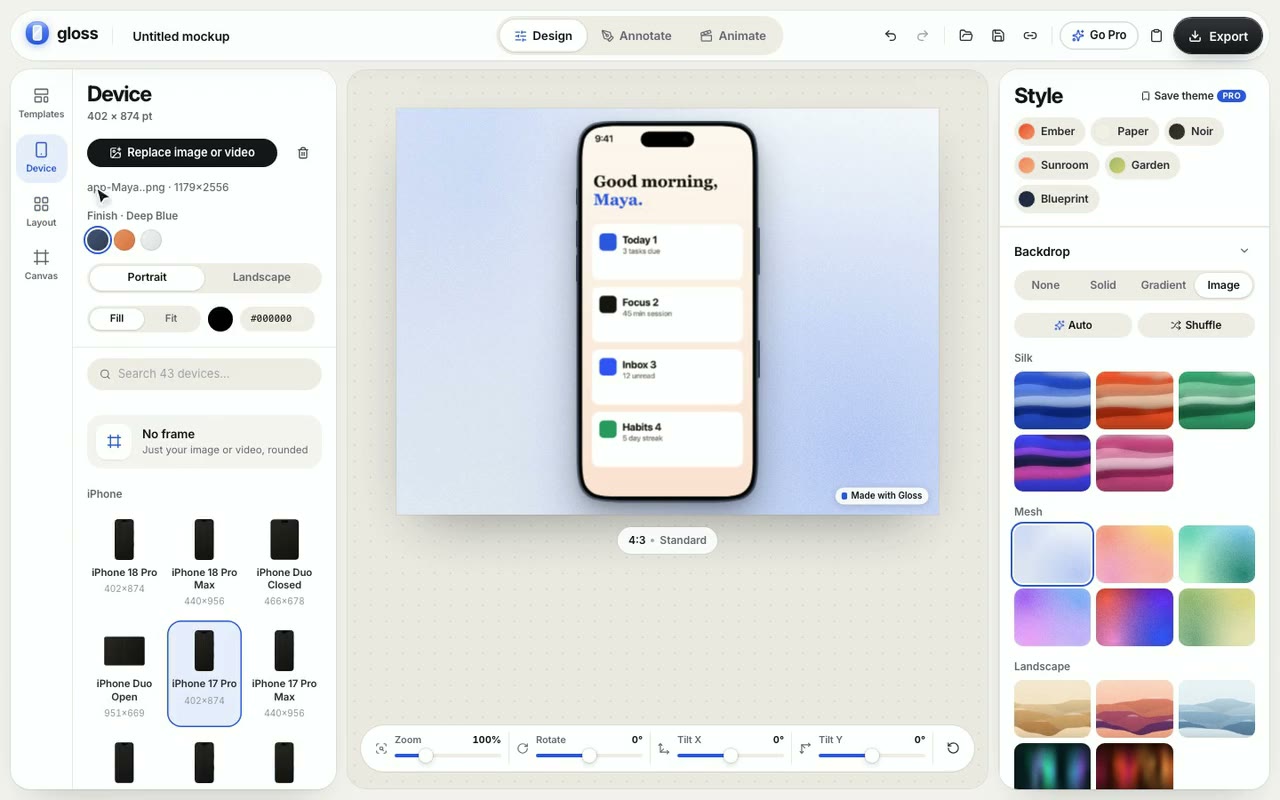
Drop a screenshot or recording here to try it.Stays in your browser.
device frames
43
layouts, incl. 3D
20
templates
24
wallpapers
22
canvas sizes
100+
files uploaded
0
43 frames. Drawn to spec.
iPhone 18 Pro back to the SE, Pixel, Galaxy, iPad, MacBook, iMac, displays, Watch and TV. Real screen sizes, real colorways, and phones and tablets rotate too.
The editor opens in a tab and works straight away. No account, no project setup, no learning curve.
Drop an image or video
1Drop
Drag an image or a screen recording onto the canvas. Pick a frame and its color.
LayoutDuo tilted
BackdropCobalt silk
ShadowSoft
2Style
Choose a template or layout, a canvas size and a backdrop. Add notes or a camera move.
Export 2× PNGlaunch-shot@2x.png
3Ship
Download PNG, JPG or WebP up to 2× free — or 4×, 6K and video with Pro. Or copy it.
Private by design
Your files never leave this tab.
Frames, backdrops, effects, even video encoding all run locally. There’s no upload step, so unreleased screens stay unreleased — and there’s nothing on a server waiting to be deleted.
Files uploaded
None
Where frames are drawn
Your browser
Where video is encoded
Your browser
What share links carry
The scene only
Copies kept on a server
None
The catalog
Find your frame.
Every device has its own page with a live preview, its real colors and the specs.
Yes — and it's not a trial. Every device frame, layout, template, wallpaper and annotation tool is free, and you can export PNG, JPG or WebP at up to 2× with 3 saved drafts. No account needed. Free exports include a small “Made with Gloss” mark.
Is Pro really one payment?
Yes. Pro is $29 once — no subscription, no renewals, nothing to cancel. Payments are handled securely by Dodo Payments.
Can I get a refund?
Yes. Pro comes with a 14-day money-back guarantee: if it isn't right for you, email us within 14 days of purchase for a full refund — no questions asked. See the Refund Policy for details.
Will the price go up?
Yes — $29 is the launch price for the first 100 customers. After that, Pro is $99 once. Anyone who buys at launch keeps Pro forever.
What does lifetime include?
Every Pro feature, unlocked for good: no watermark on your exports, video and animation export (MP4 and WebM up to 60 fps, including transparent WebM), 4× and 6K images, unlimited drafts, saved themes, bulk export and your own backgrounds. Commercial use is included.
Do I get future updates?
Yes. All future Pro features and new device frames are included in your one-time purchase.
Can I use it on more than one browser or computer?
Yes. Your purchase comes with a license key that restores Pro on any browser — just activate it from your account page.
Do my images or videos get uploaded anywhere?
No. Frames, backdrops, effects and video encoding all render locally in your browser. Share links carry the scene settings only — never your files.
Which devices are included?
43 frames: iPhone from the 18 Pro back to the SE, Pixel 7, Galaxy S24 Ultra and Nothing Phone, iPad, MacBook, a Dell laptop, iMac, Studio Display and Pro Display XDR, Apple Watch and Apple TV — each with an accurate screen size and its real colors. Phones and tablets work in portrait and landscape.
What canvas sizes and backdrops can I use?
More than 100 presets — Instagram, X, LinkedIn, the App Store, Product Hunt, Open Graph, the Chrome Web Store, wallpapers and more — or any custom size. Backdrops include 22 built-in wallpapers, gradients, solids and Unsplash search.
Free to start · Pro is $29 once
Frame your next launch.
Open the editor, drop in an image or a recording and export a mockup before your coffee cools.